Change a user's role
Things to keep in mind#
- If the person had previously made any reviews (as an Admin & Committee Member or Committee Member), their reviews will continue to show in reports.
Change a user's role#
- Open the program you'd like to add someone to.
- Click User Management in the top right dropdown.
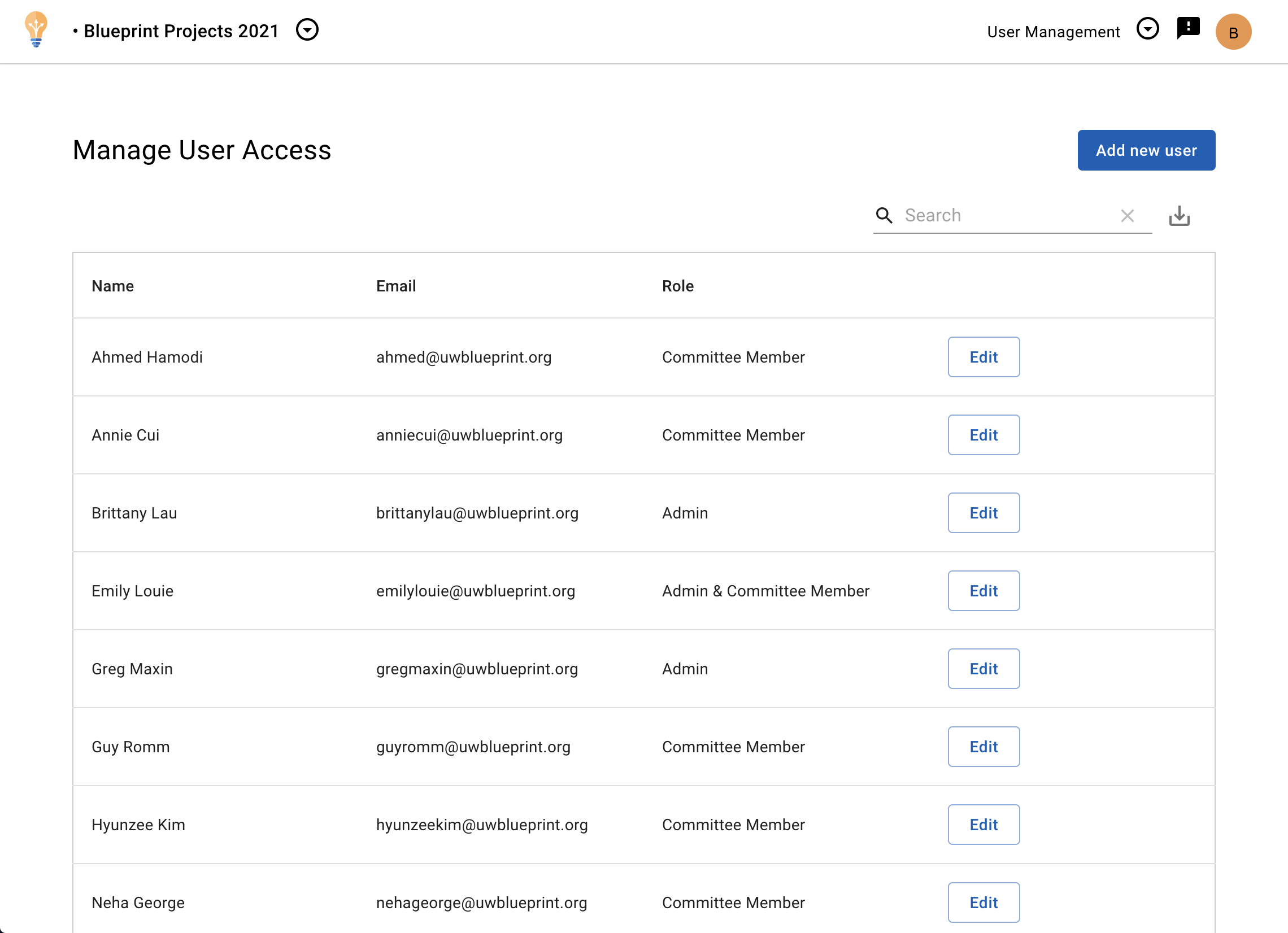
- Beside the user you want to edit, click Edit. A dialog should open.
- Under the Role field, select a new role.
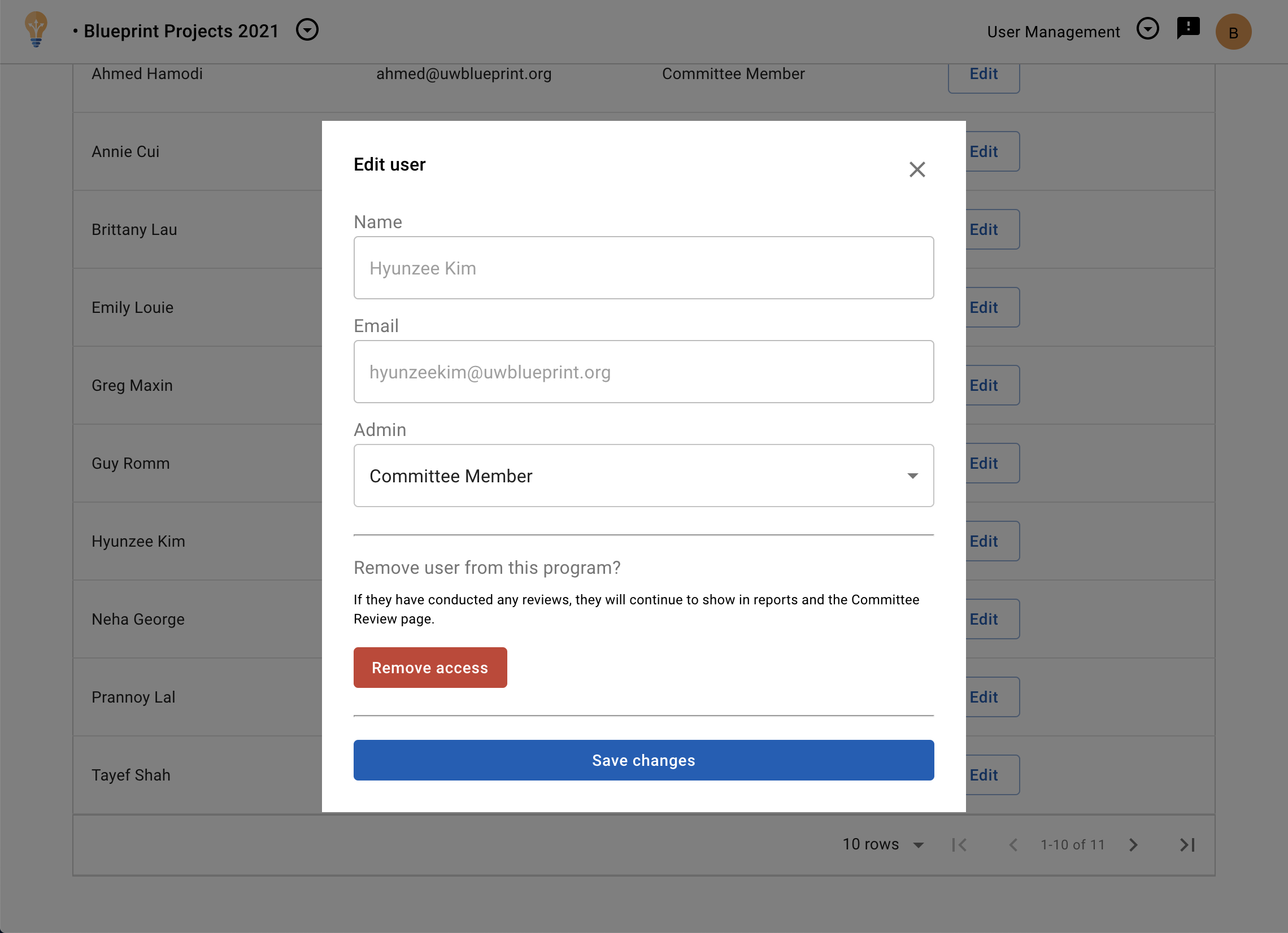
- Click Save changes for the new role to come into effect.